
Building a structured, accessible portfolio with Contentful, Next.js and AI collaboration
The challenge
My previous portfolio did not fully reflect the depth of my work or the way I now think about digital delivery.
It showed examples of my experience, but it did not give me enough flexibility to explain the structure behind the work, the decisions I had made, or the evidence behind the outcomes.
I wanted the new portfolio to work as more than a set of static pages. It needed to behave like a small content product: structured, maintainable, accessible and easy to update.
The main constraint was technical. I had strong experience in content design, UX, accessibility and CMS-based publishing, but limited recent hands-on front-end development experience. To build the site I wanted, I needed to work across Contentful, Next.js, Tailwind, GitHub and Vercel.
My role
I led the project end to end.
That included defining the purpose of the portfolio, restructuring the homepage and case study experience, designing the Contentful content model, writing and refining the content, shaping reusable UI patterns, testing the live site and managing the workflow across Contentful, GitHub and Vercel.
AI supported the implementation process, but I remained responsible for the product judgement: what the site needed to do, how the content should be structured, how the experience should work, and whether the final result was credible, usable and accessible.
Designing the content model
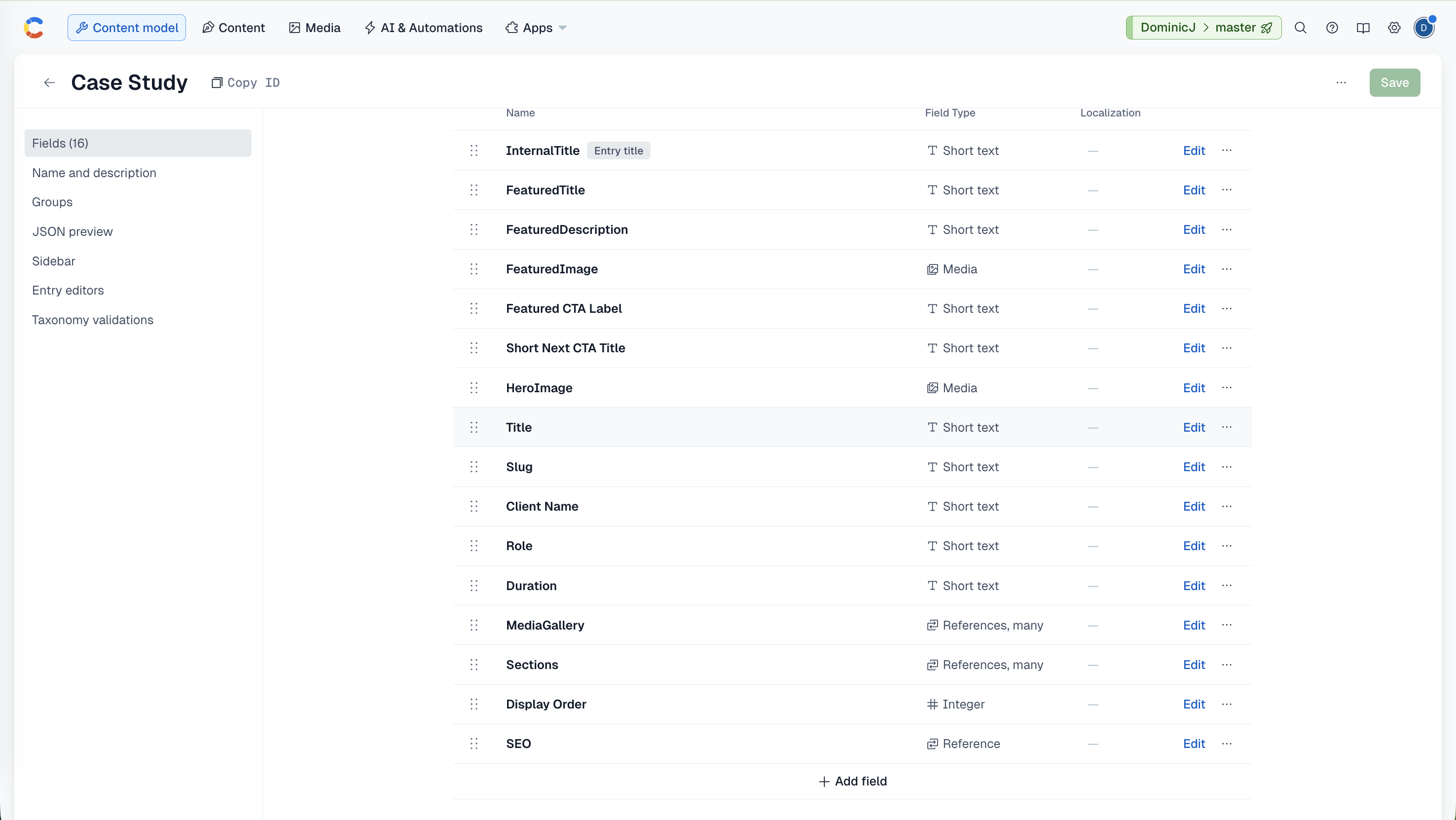
I modelled the portfolio in Contentful as structured content rather than hard-coded pages.
That meant separating the content from the presentation layer and creating reusable fields for case studies, featured work, homepage content, testimonials, media, SEO and navigation labels.
For case studies, I created fields for project titles, summaries, client names, roles, durations, hero images, media galleries, page sections, display order, SEO metadata and custom next-case-study labels.
This made the site easier to maintain. Instead of editing page templates each time I wanted to update a case study, I could manage content through Contentful while keeping the front-end structure consistent.
Building the publishing workflow
The site connects Contentful, Next.js, Tailwind, GitHub and Vercel.
Contentful acts as the CMS, Next.js renders the front end, Tailwind handles the visual system, GitHub manages version control and Vercel handles deployment.
This gave me a workflow where I could update portfolio content through the CMS while still controlling the design, layout and component behaviour through the codebase.
It also forced me to think carefully about maintainability. A field in Contentful was not just a place to store content; it had to support the way the page rendered, how the content would be reused and how easy the system would be to manage later.
Creating evidence-led UI patterns
I wanted the case studies to show evidence, not just describe work in abstract terms.
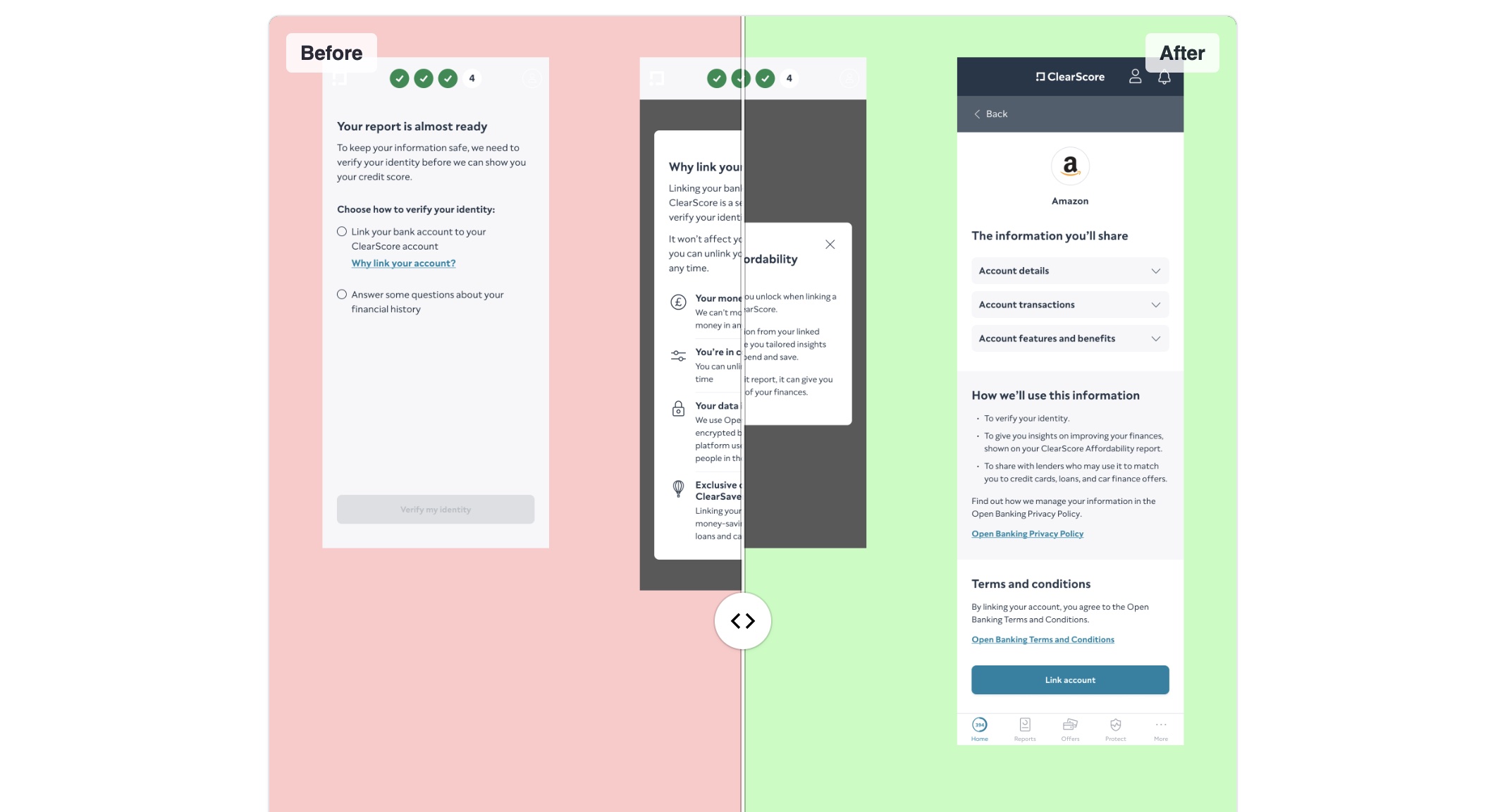
One example was the before-and-after slider. I used this to help people compare changes to content, structure or interface design directly, rather than relying only on written explanation.
This required several rounds of iteration. I had to think through what users needed to compare, how much context they needed before using the component, how the interaction behaved across different screen sizes and whether the same information could still be understood without relying entirely on the visual interaction.
The aim was not to add decorative UI. The aim was to make the evidence easier to understand.
Accessibility-led iteration
Accessibility was treated as a design constraint throughout the rebuild, not as a final check at the end.
I reviewed the site against WCAG principles and focused on practical areas such as readable typography, sufficient colour contrast, semantic page structure, meaningful headings, clear link and button labels, responsive layouts and accessible image treatment.
Interactive components also needed careful thought. For example, before-and-after comparisons had to be understandable and useful without relying only on visual cues.
I would not describe the project as a formal accessibility audit, but accessibility shaped the way the site was structured, designed and refined.
Working with AI as a collaborator
AI was central to the delivery process, but not as a replacement for my own judgement.
I used AI to help translate requirements into implementation options, understand unfamiliar code, debug errors, refine components, improve layout behaviour, work through Contentful integration issues and resolve deployment problems.
The collaboration was iterative. I would define what I needed the site to do, test the output, identify issues, challenge assumptions, refine the direction and continue until the result worked.
This was not a case of asking AI to make a website. It was closer to working with a technical partner. I brought the product judgement, content strategy, UX intent and quality threshold. AI helped me move through implementation barriers faster than I could have done alone.
The outcome
The final result is a live portfolio site that I can maintain and extend myself.
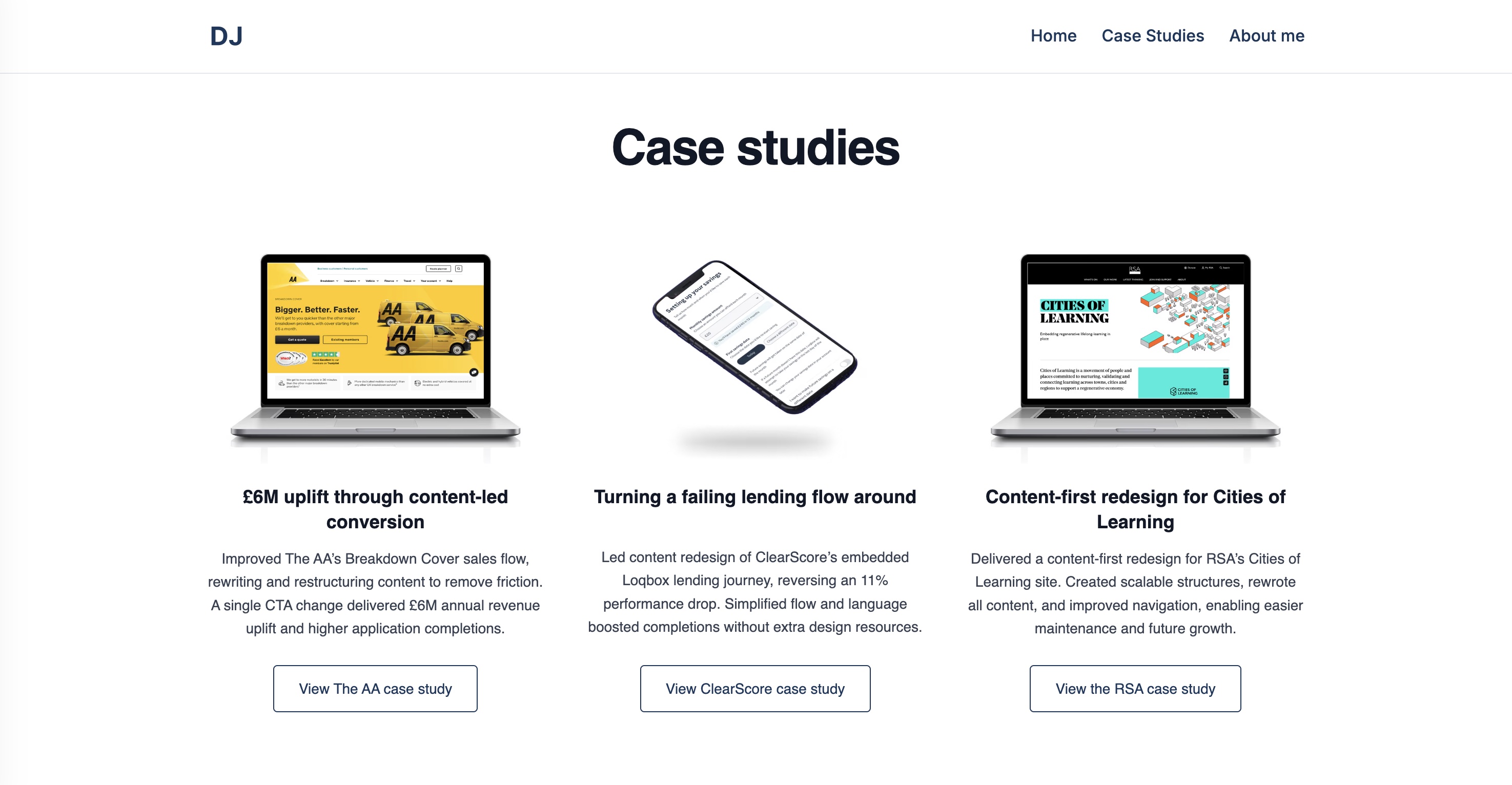
It includes a structured Contentful setup, reusable case study templates, a stronger homepage narrative, accessible and responsive layouts, interactive before-and-after components, flexible media handling, featured work sections, testimonials, custom case study navigation and a deployment workflow through GitHub and Vercel.
The project also gave me a practical model for using AI responsibly in digital delivery.
I did not become a full-stack developer. But I did become more capable of directing technical implementation, understanding trade-offs, debugging problems and shipping a working product.
Most importantly, the project shows that I can move from strategy to execution: designing the system, shaping the experience, managing the content and using AI to help turn a clear product vision into something real.
What this demonstrates
This project demonstrates my ability to design structured content models, translate content strategy into maintainable publishing workflows, create reusable UI patterns, work iteratively across content, UX, accessibility and implementation, and use AI responsibly as a technical collaborator.
It also shows how I approach digital work more broadly.
I do not just think about individual pages or pieces of copy. I think about systems: how content is structured, how it is maintained, how users understand it, how teams can work with it and how the final experience holds together.
For me, that was the real value of this project. It turned my portfolio into both a publishing tool and a working example of how I approach complex digital problems.